A Telex clearcom system has been installed at the Olathe campus. This system will be much more reliable, simpler to use, and a much cleaner signal between work stations.
All communication will take place on Channel 1.
Channel 2 will carry the broadcast audio (This will allow the broadcast tech to listen to the live video over the Telex headset.)
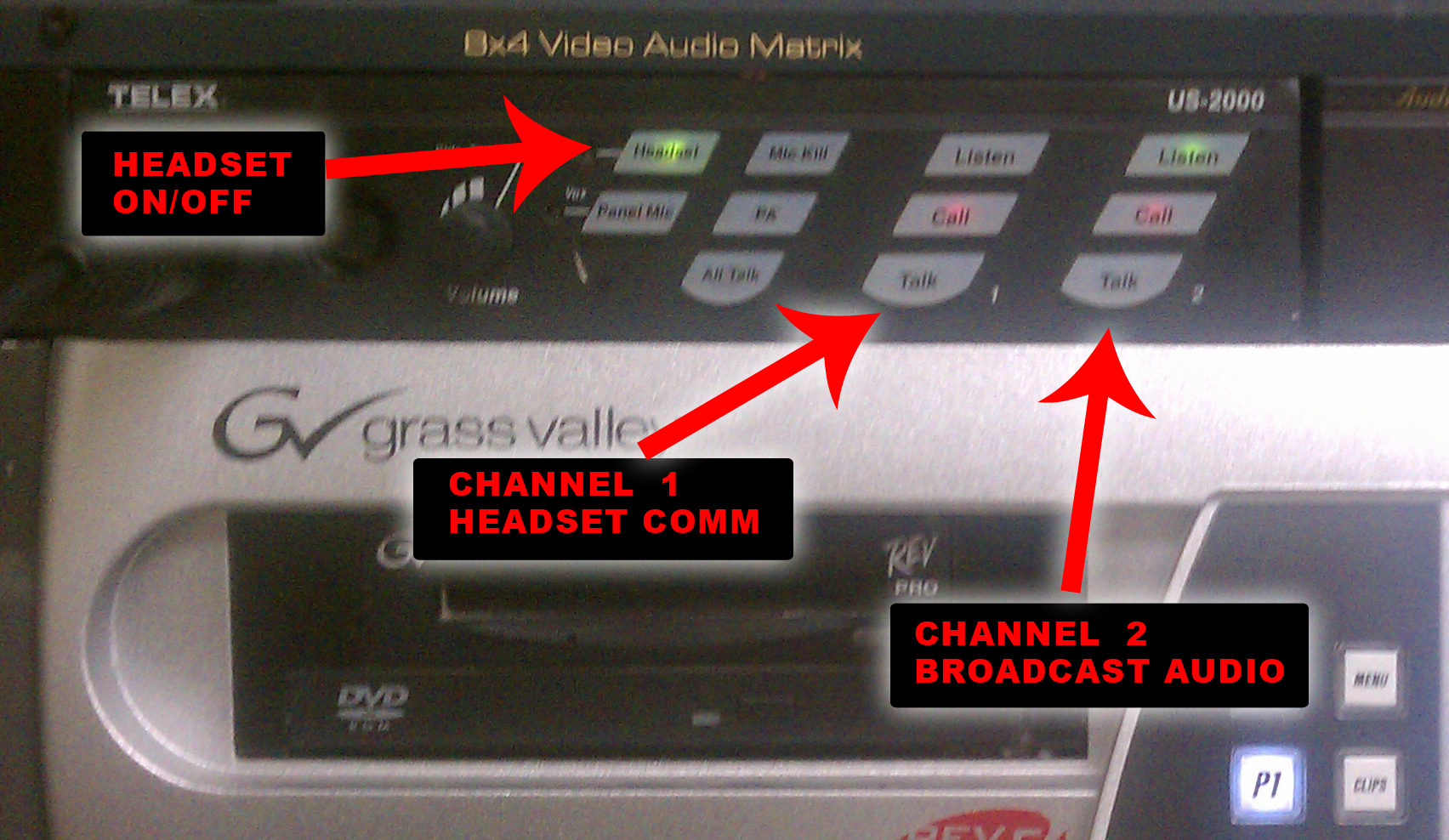
To join the headset communication, 1st be sure the headset button is ON.
Next, enable LISTEN and TALK on channel 1
To listen to broadcast audio, enable LISTEN on channel 2
The audio for the broadcast is run through the sound mixer, as it always has. Input 1 & 2 are L/R from the Turbo DDR. Inputs 3 & 4 are from the computer system.
Other stations have belt packs. Simply press the talk button to talk, press again to mute.
** Tip ** For the operator in the worship center, leave the talk button off so the mic will not pickup the worship center. To talk, press & HOLD the talk button & talk while pressed down (mic will be muted when releasing the button.)
