The lower-third count down clock application has been revised. (small bug fixes)
It is available for download here:
http://legacychristianchurch.net/fileshare/filedown.asp?file=MessageClocks.zip
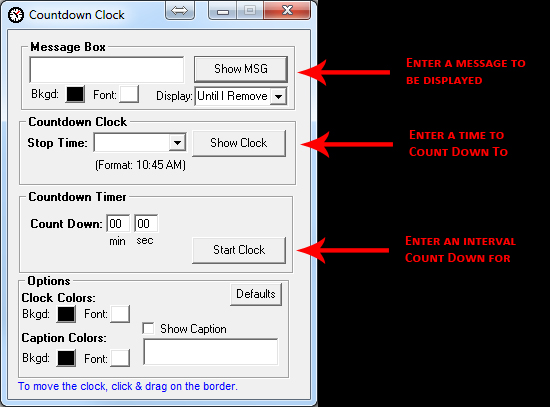
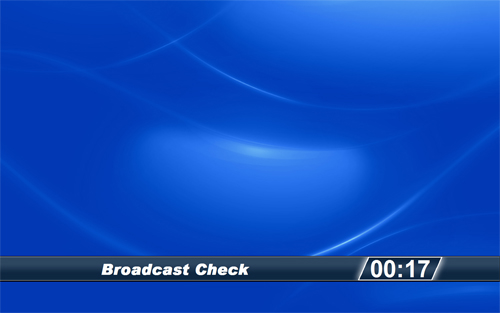
You can set the number of minutes/seconds to count down (like most count down clocks), but also, it will count down to any specified time (hour/Min). Just enter the END time and it will calculate the mintues/seconds till then and display the countdown to zero. Then count up in red when that time is passed. It’s designed to run as a lower 3rd overlay on live video. (for example, countdown to 8:20 am for sound check)
We use it for many things, one is we overlay it on the broadcast stream, so the campuses receiving the broadcast see this countdown clock.
Here is a screenshot of how it looks:
The Message Clock is also included in the ZIP archive.
This utility has a number of features. You can set the number of minutes/seconds to count down, set it to count down to any specified time (hour/Min), and/or enter a text message to be displayed.
Here is a view of the output display.
You can easily position the clock anywhere on the screen by dragging it with the mouse (grab it by the border)

Here is a view of the interface.